
I Got a Cool Press Hit! What Do I Actually DO With It?
You got featured somewhere. Maybe it's a quote in an article, a full profile, a podcast mention, a TV segment. Amazing. Now what?
You know you're supposed to "leverage" it. But what does that actually mean when you're sitting at your desk staring at a link? Here's exactly what to make, how to make it, and where to put it.
Step One: Gather Your Materials
Before you create anything, collect the raw ingredients.
Screenshot the article headline. Screenshot your name or quote in context. Screenshot any photo they used of you. Save the URL. If it's a video or podcast, grab the link and note the timestamp where you appear. If it's a print piece, take a clean, well-lit photo of the page — lay it flat, avoid glare, natural light is your friend.
That's your content kit. Everything you make comes from these pieces.
Make a Quote Graphic
Take the best one or two sentences you said in the piece and turn them into a branded image.
In Canva: Open a new Instagram post template (1080x1080). Pick a clean background — a solid color or a simple texture. Drop your quote in a large, readable font. Below it, add a line that says something like: — as quoted in [Publication Name]. Add your name, title, and website at the bottom. Done. Export as PNG.
If you don't have a "brand" yet, just use a white or off-white background with black text. Simple reads as intentional.
You now have a post for Instagram, LinkedIn, and Facebook.
Write the Social Captions
You need three versions, because each platform is a different conversation.
Instagram caption: Start with the headline moment. "I had the chance to talk to [Publication] about [topic] — specifically [the one thing you said that matters most to the people you serve]." Then give one or two sentences of context about why this topic is important. End with a call to action: "Link in bio" or "I linked the full piece in stories."
LinkedIn post: This one can be a little longer and more reflective. What was the experience like? What's one thing you wish you'd had space to say more about? LinkedIn rewards generosity — share something useful, not just the announcement. Drop the link in the comments (LinkedIn suppresses posts with links in the body).
Facebook: Keep it warm and personal. "Really proud of this one" energy. Your Facebook audience is often your earliest supporters — talk to them like people who've been rooting for you.
Write all three at once. It takes ten minutes when you batch it.
For Higher-Profile Hits, Go Bigger
If you landed something in a major outlet — think Real Simple, The Washington Post, HuffPost, Forbes, Parade, Today.com, Psychology Today — the approach shifts a little. These logos carry serious weight, and you want to squeeze every drop out of them.
Make a dedicated "As Seen In" graphic with the publication's logo front and center. This becomes a pinned post, a website banner, and the first slide in any pitch deck or media kit you send out.
Record a video specifically about the feature. Not just a mention at the end of a topic video — a standalone piece. "I was recently featured in [Publication] talking about [topic], and I want to share a little more about why this matters." People engage with the story behind the story.
Write a full blog post, not just a newsletter mention. Use it as a cornerstone content piece on your website. It lives there permanently, it's searchable, and it gives you something to link back to for months.
Update your website homepage. A recognizable publication logo on your landing page is one of the fastest trust-builders that exists. Even if it's the only logo there, put it up.
Turn a List Article Into Multiple Pieces of Content
Here's where it gets really good. If you were featured in a roundup-style piece — something like "11 Ways to Support a Friend Going Through Divorce" or "9 Things a Divorce Coach Wants You to Know" — you're not sitting on one piece of content. You're sitting on nine. Or eleven.
Each item on that list is its own post. Pull out one tip, one quote, one insight at a time. Make a graphic for it. Write a caption that expands on just that single point. You can post one a week and get two to three months of content from a single article.
Here's how to do it:
Open the article and go through it point by point. For each item that features your expertise, ask yourself: can I talk about this for 60 seconds on camera? Can I write three sentences of practical advice expanding on this? Can I share a client story (anonymized, of course) that illustrates this point?
If the answer to any of those is yes, that's a post.
For a graphic: Pull the tip into Canva as a single-line quote card. Format it the same way each time — same background, same font, same layout — so the series is visually cohesive. Add "1 of 9" or "Tip 3 from my [Publication] feature" so people know there's more coming.
For a Reel or TikTok: Pick up your phone, set it in a well-lit spot, and talk about one item for 30 to 60 seconds. Give the tip, then go one layer deeper — the thing you'd say to a client sitting across from you. End with: "This was one of [number] tips I shared with [Publication] — I'll be posting more this month."
For carousel posts: Take three or four of the tips and turn them into a swipe-through. First slide is the hook: "I shared [number] tips with [Publication] — here are the ones I think about most." Each following slide is one tip with a line or two of expansion. Last slide is your call to action and the link.
For your newsletter: Feature one tip per edition as a recurring segment. "From my [Publication] feature: Tip #4" with a paragraph of your own commentary underneath. Your subscribers get useful content, and you get to re-surface the press hit naturally over weeks.
The key here is pacing. Don't dump all of this in one week. Spread it out. The article might be "old news" in the media cycle after 48 hours, but your audience doesn't work on a news cycle. They work on a scroll-and-stumble cycle, and the more chances you give them to stumble onto your expertise, the better.
Create an Instagram Story Sequence
Stories are where you get to be a little more casual and a lot more visible.
Story 1: Screenshot of the article headline. Add a text overlay: "This happened!" or "Still pinching myself" or even just "🗞️" — whatever matches your personality.
Story 2: Screenshot of your quote or mention, zoomed in. Circle or underline it if you want.
Story 3: Selfie or a short talking-head video (15 seconds max). Say something like: "I got to talk about [topic] with [publication] and I'm really excited about how it turned out. If you or someone you know is dealing with [relevant situation], I think this piece could be really helpful." Keep it natural. One take is fine.
Story 4: Link sticker to the article. "Read the full piece here."
Save the whole sequence as a Story Highlight on your profile. Label it "Press" or "In the News" or "Features." This lives on your profile permanently and builds over time.
Update Your Bio — Everywhere
This takes five minutes and it matters more than most people realize.
Your website: Add an "As Seen In" section if you don't have one. Even if it's just one logo so far. You can use the publication's logo (a quick image search usually turns up a clean version) or simply list the name. Place it on your homepage and your about page.
Your Instagram bio: Add "As featured in [Publication]" or swap in the new credential if it's more impressive than what's there.
Your LinkedIn: Update your headline or About section. Add it to your Featured section — you can link directly to the article there.
Your email signature: Add a single line: "Recently featured in [Publication]" with a hyperlink. Subtle, but every email you send now carries that credibility.
Record a Quick Video
If video is part of your content strategy (or you want it to be), this is low-hanging fruit.
Set up your phone, good lighting, look at the camera. Talk for 60 to 90 seconds about the topic of the article — not about the article itself. Share one insight, one tip, one reframe. Then at the end: "I actually got to talk about this recently with [Publication] — I'll drop the link so you can read the full piece."
You're leading with value and closing with the credibility. That's the right order. Post it as a Reel, a TikTok, a LinkedIn video, or all three.
Write a Short Blog Post or Newsletter Mention
You don't need to write a whole essay. A few paragraphs will do.
Open with the topic, not the press hit. "I've been thinking a lot lately about [topic] — and I recently had the chance to talk about it with [Publication]." Share a couple of thoughts that expand on what you said in the piece. Maybe there's something you didn't get to say, or something you'd add now. Close with the link.
If you send a regular newsletter, this can be one section of your next edition. It doesn't need to be the whole thing.
Click to download the checklist!
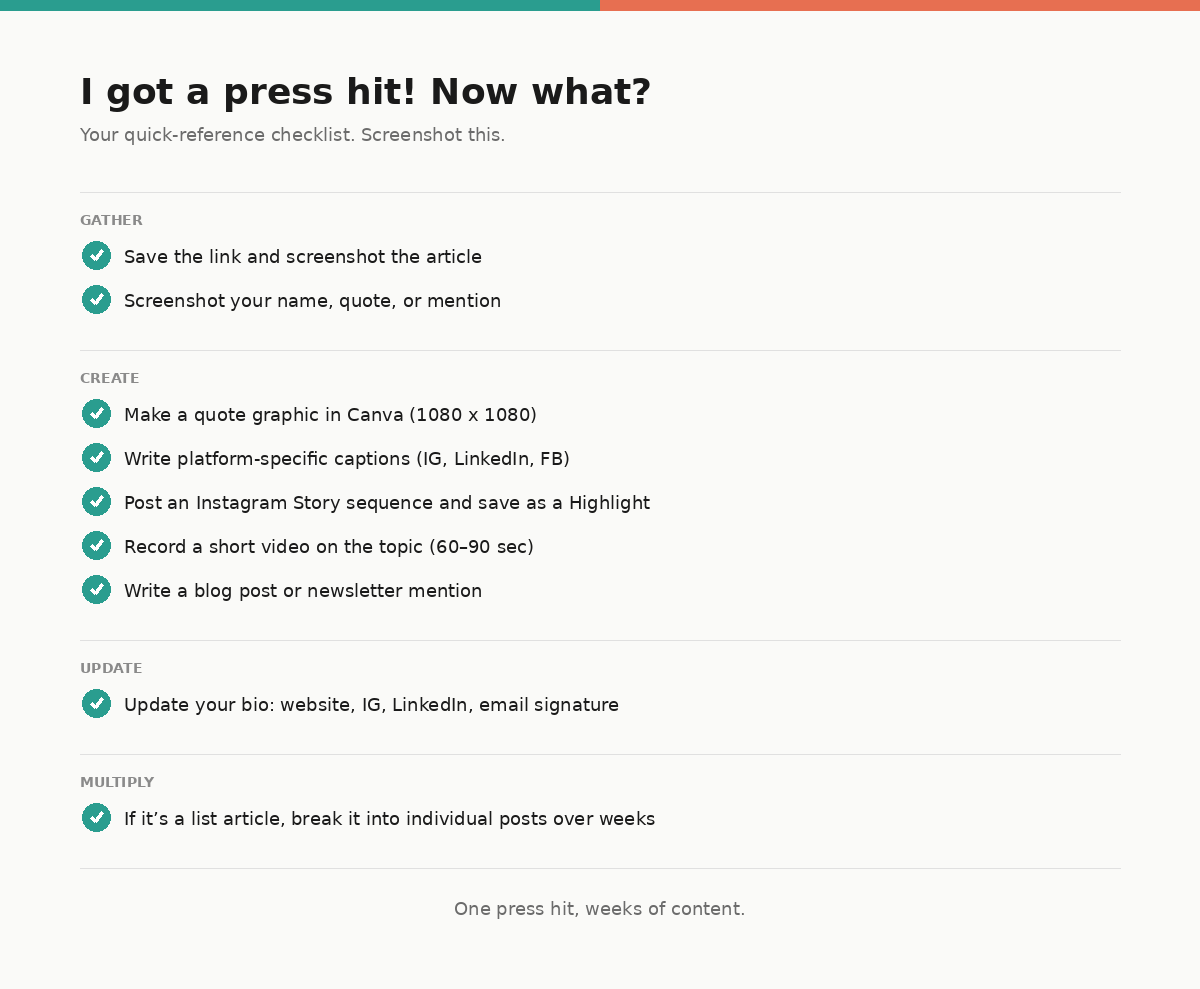
The Quick-Reference Checklist
Here's the short version you can screenshot and come back to every time this happens (because it will happen again):
Save the link, screenshot the article, screenshot your quote. Make a quote graphic in Canva. Write three platform-specific social captions. Post an Instagram Story sequence and save it as a Highlight. Update your bio on your website, Instagram, LinkedIn, and email signature. Update any directory profiles. Record a short video on the article's topic. Write a short blog post or newsletter mention. If it's a list article, break it into individual posts and pace them out over weeks.
That's it. One press hit, weeks of content, and a stronger digital footprint that keeps working for you long after the news cycle moves on.